Lesson 2
Help Hoppy Catch the First Bubble
Use a simple Python game to test the lab while practicing approvals, running the project, and debugging one step at a time.
Hoppy looked around the hoppy-lab he had just prepared.
“The lab is ready. Do we start researching stocks now?”
Dr. Hop shook his head.
“Not yet. We still do not know whether Python can run here or whether AI can put files in the right place. If something goes wrong, we have not even practiced investigating it together.”
“What should we test with?”
“A tiny game.”
Hoppy paused.
“Aren't we here to learn quantitative research?”
“That is exactly why we should not mix a program, market data, and a research hypothesis on the first try. Let us begin with something whose result is obvious, so we can check AI and the environment by themselves.”
The game only needs to do three things:
- Hoppy can move left and right;
- a bubble falls from the top;
- catching the bubble increases the score.
It is not a quantitative experiment.
It is the lab's first startup test.
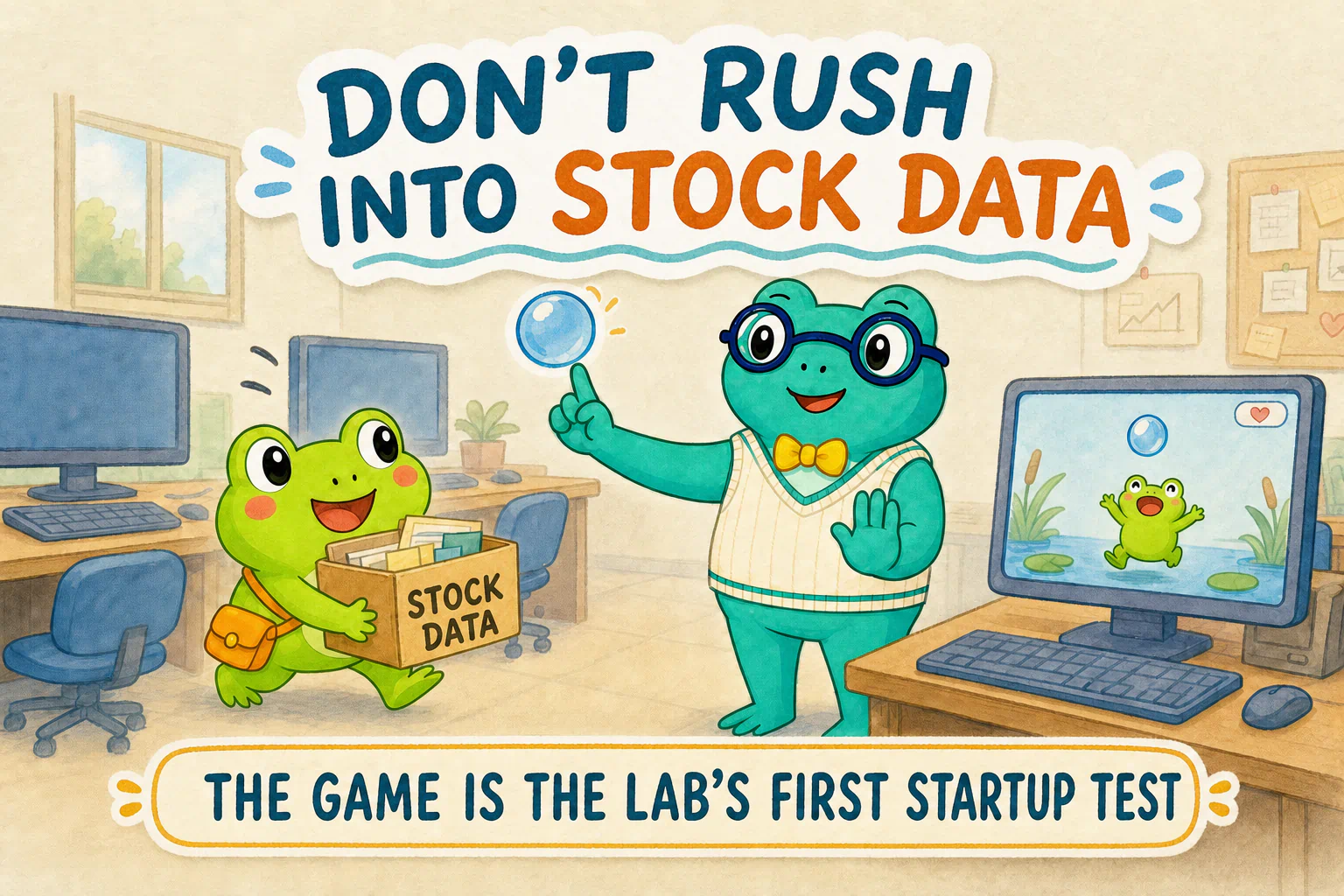
If we begin with stock prices and the program fails, the cause might be the environment, the network, the data service, a ticker symbol, or the program itself. When several problems arrive together, a beginner has no obvious place to start.
A game is much more direct. You can see whether the window opened, whether the frog moves, whether the bubble falls, and whether the score changes after a catch.
The game is not quantitative research.
It separates one smaller question: can AI, the project, and the program actually work together?
You only need to hand AI two jobs today
This lesson touches Python, environments, and a game, but you only need to give AI two main jobs:
- inspect the computer and the current project, then add only what is missing;
- once the environment can run, create and launch the game.
If a permission request appears between those jobs, you make the decision. If an error appears, give the real scene back to AI. You do not need to learn a complete set of installation commands first.
First handoff: inspect first, then fill the gaps
You do not need to decide on your own what the computer is missing, and you do not need to enter installation commands one by one from a tutorial.
Tell AI the goal. Ask it to inspect the real environment first and fill only the gaps:
Give this to your AI research assistant
I am going to build a small Python game in the current project. First inspect the project, operating system, and terminal. Check whether uv, Python, and a project-local .venv already exist and work.
Use the actual results to complete the environment:
- if
uvalready works, reuse it; if it is missing, install it using the current official method for this system; - if a suitable Python already works for this project, reuse it; if Python is missing or incompatible, let
uvprepare a stable compatible version; - if the project already has a working
.venv, reuse it; otherwise, useuvto create one inside this project.
Do not reinstall anything that already works, and do not create the game yet. If you need network access or need to write outside the project, explain why. If the interface asks for approval, I will read the scope before deciding whether to allow it.
When you finish, check everything again. In plain language, summarize what you reused, what you installed, where the .venv is, and whether the environment is ready for the game.
You can use this task description directly or say the same thing in your own words. Its real intent is:
Inspect the real computer first
→ reuse what already works
→ install only what is missing
→ create an environment for this project
→ verify the real result again
AI may take several steps to inspect, install, and verify the environment. You do not need to steer every command. Watch whether it respects the boundary: inspect first, then add only what is missing.
If all three pieces are missing, AI will usually follow this route. If your computer already has one of them, it can skip that part:
Prepare a standalone uv
→ let uv prepare a suitable Python
→ create .venv inside the current project
uv can be installed without relying on an existing Python, and it can then prepare Python for the project. So having no Python yet does not block you. For now, you only need to recognize three names:
- Python is the engine that runs Python programs;
uvhelps a project prepare Python, its environment, and its packages;.venvis an isolated space for this project, so its Python tools do not get mixed with unrelated projects on the computer.
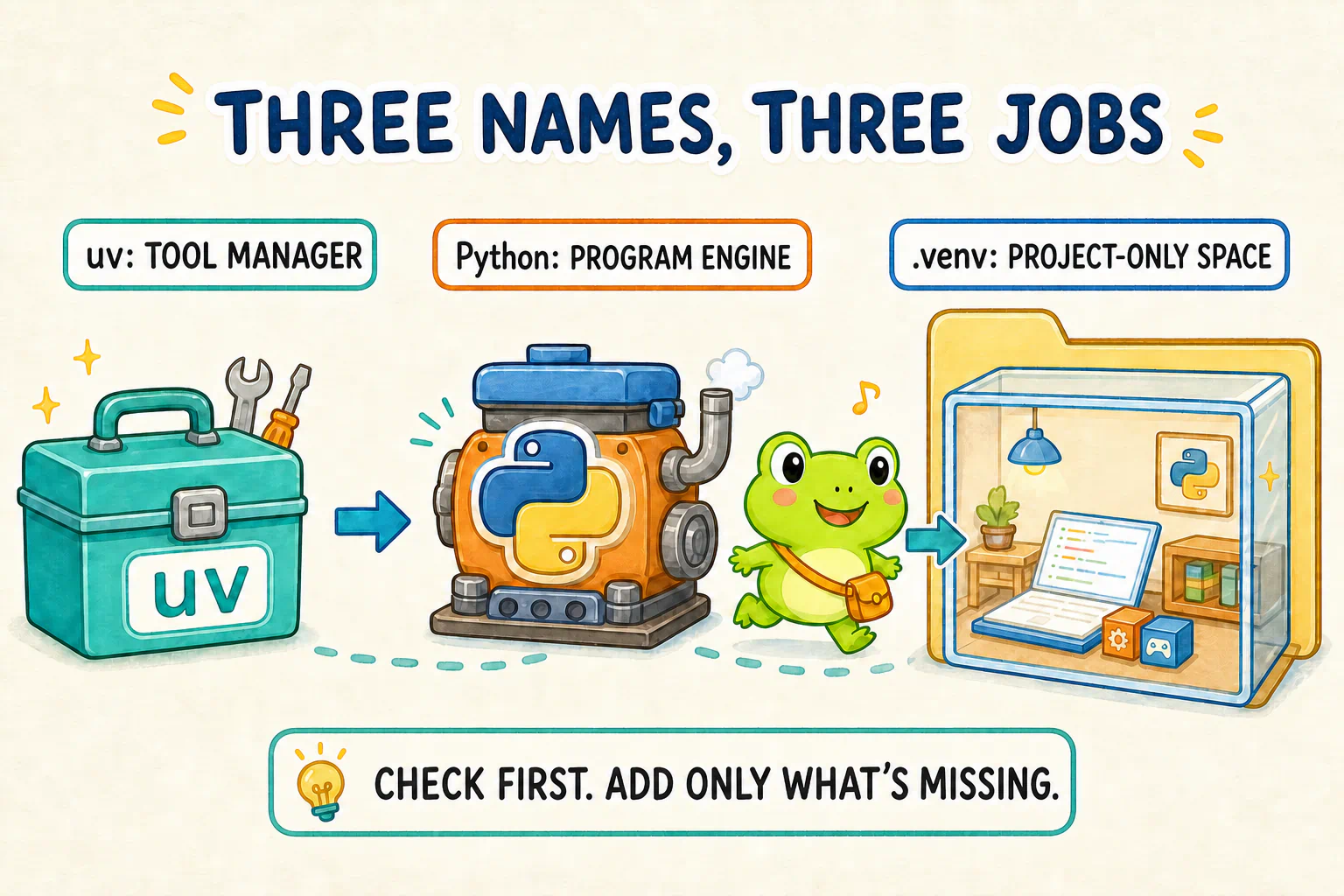
You do not edit .venv by hand, and you do not need to memorize the installation commands. Let AI use the current official method for the real system, then verify the result again.
If you want the original documentation, see the uv installation guide, Python management guide, and virtual environment guide. These pages were checked on August 30, 2026.
If Codex pauses, it may be waiting for you
Installing uv, downloading Python, or fetching a game package may require internet access. Codex may also need to write tool files outside the current project.
It may pause instead of continuing. That pause can mean it is waiting for your approval.
Hoppy watched the screen stop changing and whispered:
“Is it stuck?”
Dr. Hop pointed at the permission control beside the input box.
“It is waiting for you to decide what it may do on your behalf.”
In the Codex interface we verified, there were three levels. We describe their meanings in English as:
- Ask for approval: operations involving external files or the internet often wait for you to approve them one by one;
- Approve for me: Codex can continue with routine low-risk operations and ask again when it detects risk;
- Full access: Codex can access the internet and computer files without the same boundary.
Inside a dedicated, simple hoppy-lab, we recommend Approve for me.
It reduces repeated interruptions for routine operations without opening the boundary as widely as Full access.
If you are unsure, staying with Ask for approval is completely fine. You will confirm more actions, but that does not mean your setup is wrong.
“Approve for me” also does not mean Codex will never ask again. When an action genuinely needs your decision, read the request and decide for yourself.
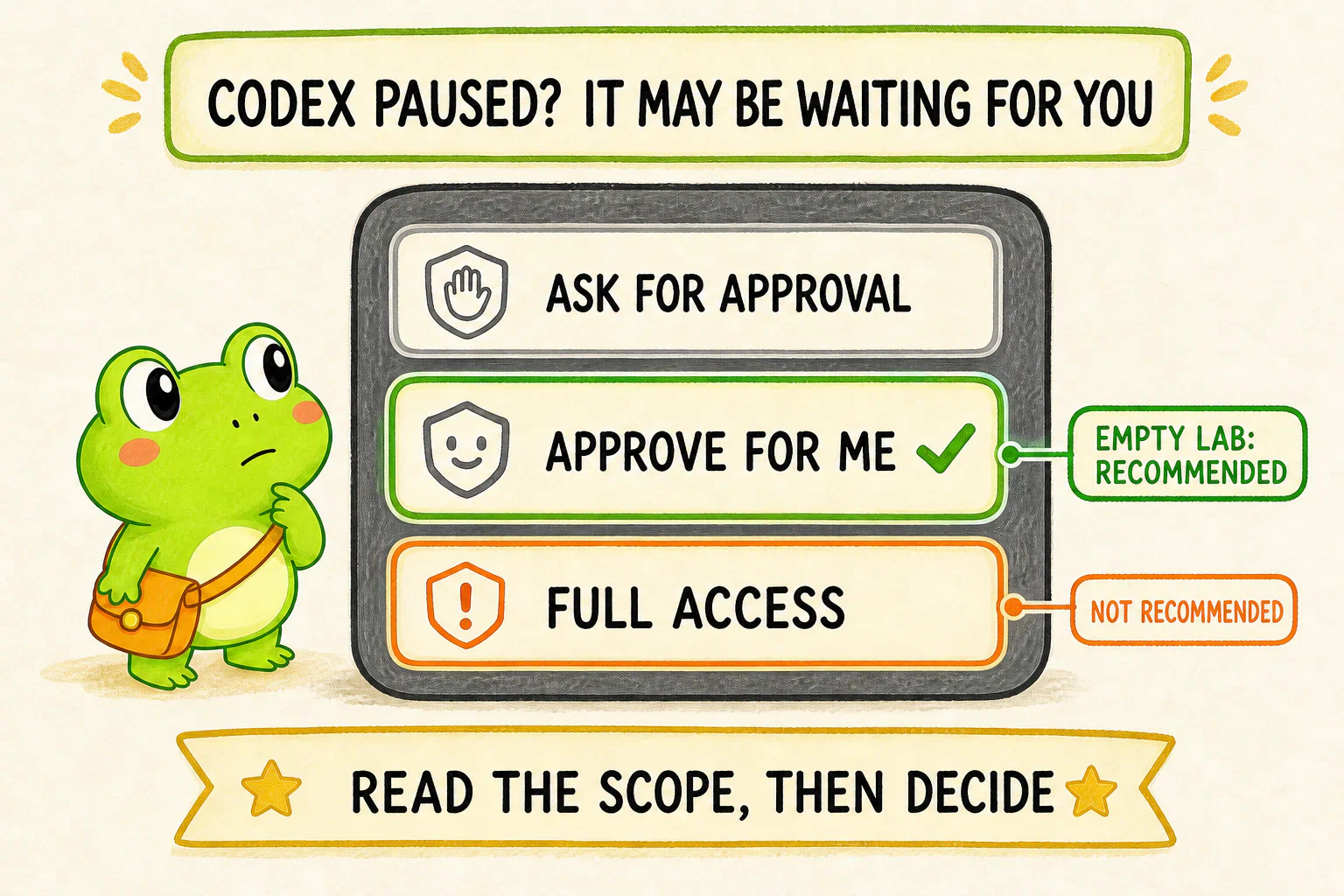
This recommendation applies only to the dedicated lab folder created for the course.
If the current project is your entire Desktop, home directory, or a folder mixed with work files, photos, keys, and private material, do not widen access merely to avoid a few clicks. Return to an empty lab with a clear boundary first.
The screenshot and Chinese button labels were checked on August 30, 2026. The interface may change, and English UI wording may not match our explanatory translations exactly. Do not hunt for identical words. Choose the middle option that allows routine work to continue while still stopping risky actions, and do not open the whole computer merely for convenience.
If you use WorkBuddy, its permission entry point and names may differ. Ask it to explain the current permission scope, then keep the same principle: grant only what this lab needs.
Second handoff: get the game truly running
You should now have:
- a usable
uv; - a Python that AI has verified;
- a
.venvinside the current project; - a way to add packages and run a program.
Now the game can enter the lab.
A game window and keyboard input usually borrow an existing graphics library. A ready-made piece of functionality that a project borrows is called a package or dependency. Let AI choose and install the smallest suitable one for the current environment.
You may use the task description below directly, or keep its goal and boundaries while rewriting it in your own words:
Give this to your AI research assistant
Create and run the smallest playable 2D Python game in the current project.
The game should work like this:
- a green frog sits near the bottom of the screen;
- the player moves the frog horizontally with the left and right arrow keys, and the frog cannot leave the window;
- a bubble falls from a random position at the top;
- when the frog catches the bubble, the score increases by 1 and the bubble starts again from the top;
- when a bubble falls past the bottom, it simply starts again; the first version does not subtract points;
- the current score is clearly visible;
- closing the window ends the program normally.
Use only simple shapes and text in the first version. Do not add external image assets, music, complex animation, levels, networking, or other extra features.
Inspect the existing project files first and avoid overwriting unrelated material. Choose the smallest dependency that is compatible with the current Python and suitable for a simple 2D window. Explain the choice in one sentence, then use uv to add it to this project's .venv, not to a Python environment shared by the whole computer.
Before changing anything, restate the game you understand in plain language. Then build the smallest version and actually run it. Do not stop after generating code.
If it fails, read the real error and continue investigating and fixing it. After the program starts, tell me how to use it and let me verify it myself. If the current tool cannot keep the game window visible, tell me exactly which step I need to run. Wait for my real result or error before continuing.
This task description is more detailed than the environment request because we need to define what the finished game should actually do. You still do not need to copy it word for word. Preserve these parts:
- how the frog, bubble, movement, and score work;
- which extra features the first version does not need;
- that the dependency belongs in the project's
.venv; - that AI should restate its understanding first;
- that AI must run the program and investigate real errors, not merely write code.
AI may choose a different simple graphics library or a different file structure from someone else's project.
We do not require identical code. AI only needs to explain its choice, keep the dependency inside the project environment, and leave a small project that can run again.
When AI says it is done, play it yourself
When AI runs the program, a small game window should appear. If the current tool cannot keep that window visible for you, it should tell you which step to run yourself. That is not a failure; it only means the final observation belongs to you.
Do not accept a final message that merely says “Done.”
Check with your own hands and eyes:
- did the window truly appear?
- do the left and right keys move the frog?
- does the bubble fall from the top?
- does the score truly increase after a catch?
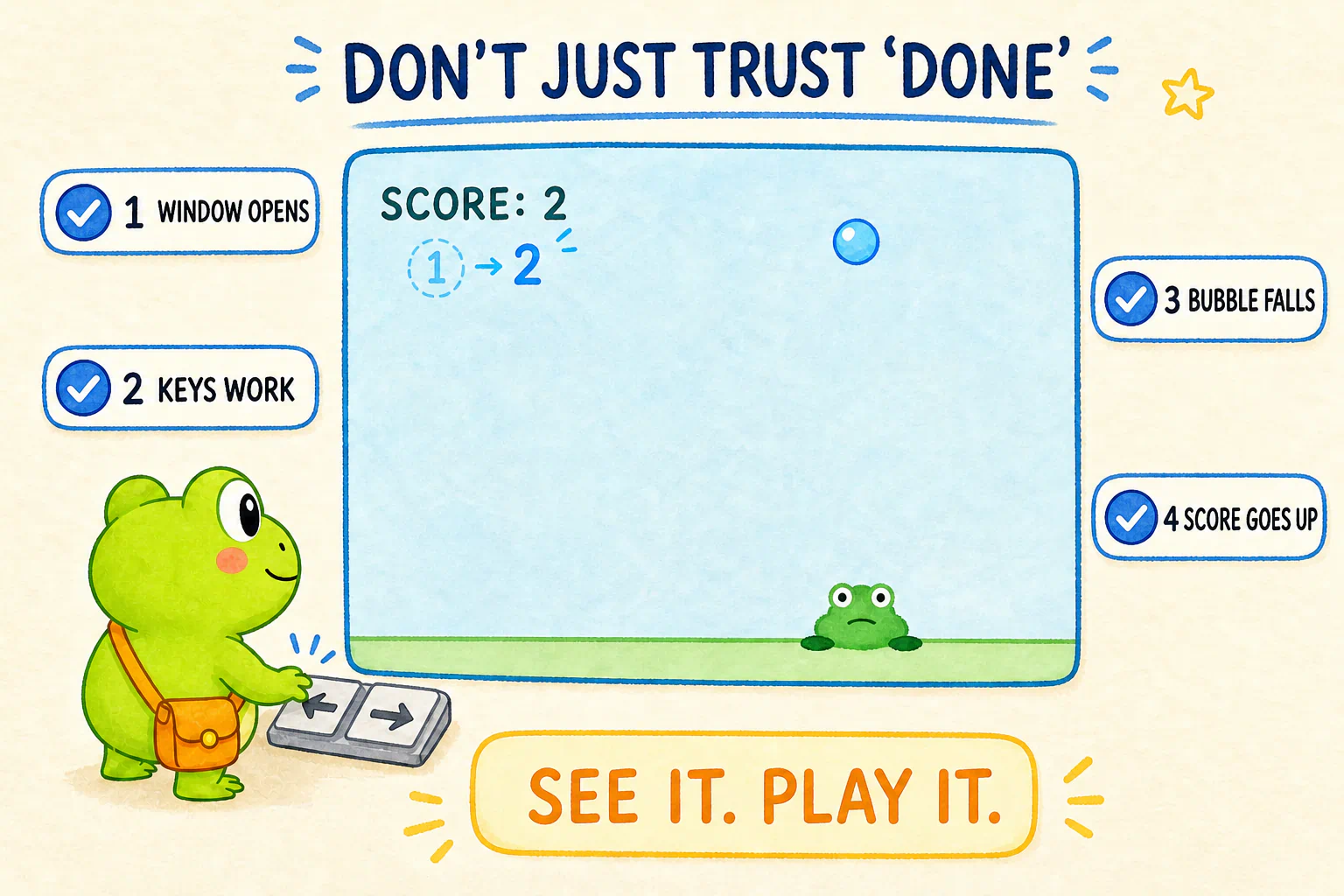
The exact colors, speed, font, and layout do not need to match the course image.
The frog may even be a green circle or block in the first version. The job is to prove that the gameplay and run path work, not to enter an art contest.
If no window appears, tell AI:
No playable window appeared. First determine whether the program exited, is still running, or failed to open a graphics environment. Read the real process state and output instead of guessing from the code.
If the window appears but the keys do nothing or the bubble does not move, say:
The window appeared, but this is what I actually observed: the arrow keys do nothing, and the bubble does not move. Compare that observation with the current code. Explain whether input handling and screen updates are really running, then change only the most likely problem and start it again.
The closer your description is to what you genuinely observed, the easier it is for AI to investigate.
If you get stuck, give AI the real scene
Different computers may stop in different places. One person may hit a download or permission problem. Another may be unable to find a newly installed tool. Someone else may open the window but find that the keys do nothing.
The course cannot list every possible error in advance, and it does not need to.
Whether the problem is in the environment or the game, do not say only “It failed,” and do not paste ten unrelated repair commands from search results. Keep the complete output and describe what you actually saw. Then continue with:
When you get stuck
Do not reinstall the whole environment yet, and do not try several fixes at once.
Read the command that just ran, its complete output and exit status, and the behavior I actually observed. In plain language, identify the most likely cause.
Handle only one direction first. Then repeat the same check or action and compare what changed.
You can reuse this loop:
Keep the complete scene
→ ask AI for the most likely cause
→ try one fix only
→ run the same check again
→ compare the old and new result
→ decide what to do next
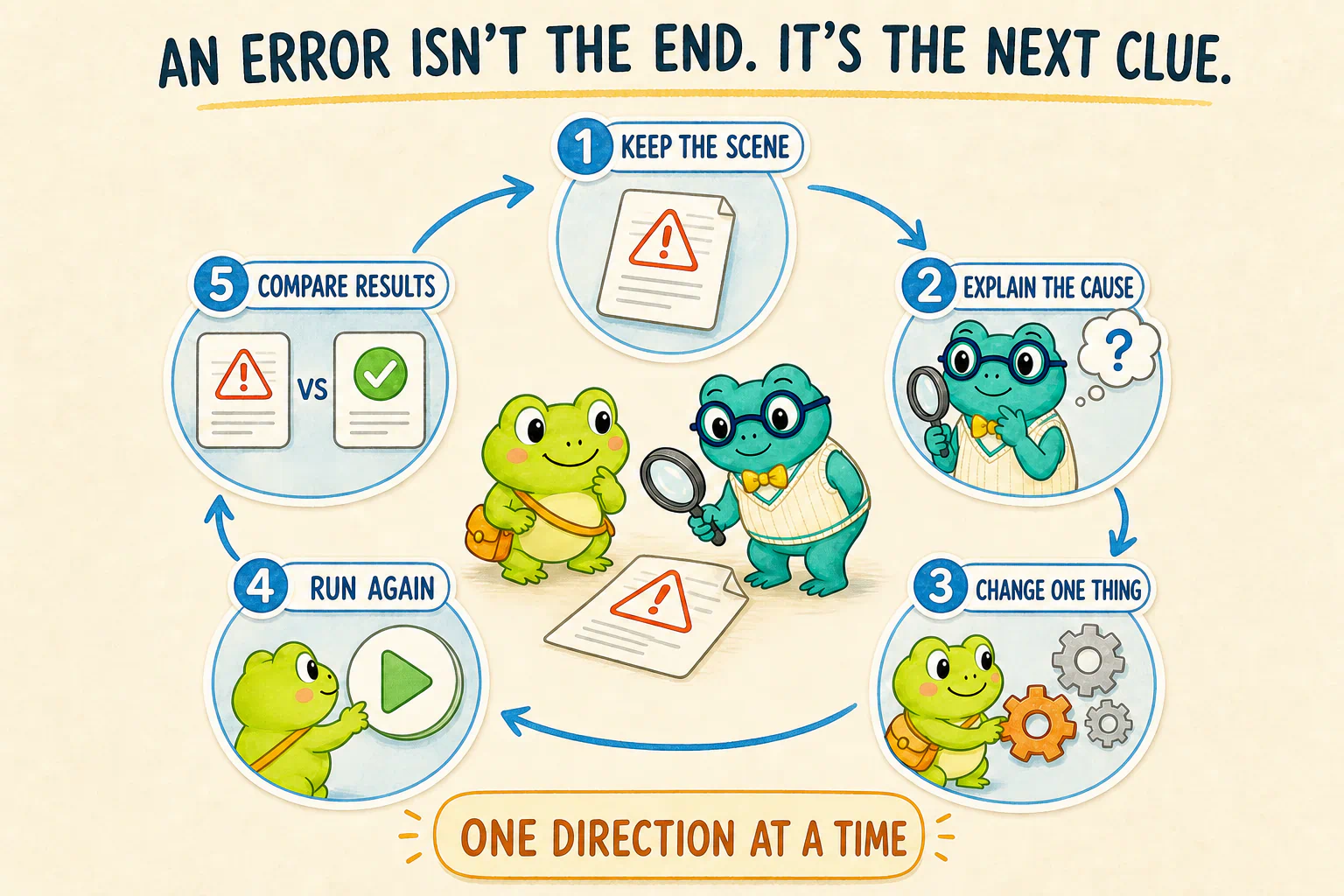
A different error is also new information. It may mean the previous obstacle is gone and the program has reached the next one.
Once the game works, change one small thing on purpose
One successful run tells us that AI and the environment cooperated on one version.
Make one small change to see whether the same collaboration path still works.
If you do not know what to change, ask AI for choices:
Give me three small options that each change only one main thing. Explain in one plain sentence what I would see. Do not modify anything yet. Wait for me to choose.
It might suggest:
- making the frog move faster;
- changing the bubble color;
- subtracting one point when a bubble is missed;
- showing a victory message after five catches.
Choose one change you understand, then say:
I choose this option. Make only this change and do not add anything else. Run the game again so I can confirm the change in the actual window.
The change is small, but the lesson matters.
You did not begin by hunting for the line of code that controls speed or color. You described the result you wanted, let AI change and run the program, and then checked the visible outcome.
The same collaboration pattern will return in research programs:
Describe the change
→ AI edits
→ run again
→ observe the real result
→ decide whether to continue
Finally, ask AI to tidy the workbench
You do not need to memorize every command that appeared while building the game.
You should, however, know roughly what the lab now contains and how to continue next time.
Ask:
Check it with your AI research assistant
In plain language, summarize what we actually completed:
- Which main files were created in the current project?
- What problems do
uv, Python,.venv, and the game dependency each solve, and how are they related? - Where is this project's
.venv, and what manages its Python and game dependency? - When I return to this project, how should I ask you to run the game again?
- What does this successful run prove, and what does it not prove?
Answer from the current project and the real run result. Do not give me a generic tutorial unrelated to what happened here.
This successful run tells us at least that:
- AI can create and read files inside the project you selected;
- the current Python environment can run a program with a dependency;
- you can use the visible result to decide whether the program met its goal;
- when something fails or you want a change, you know how to continue the conversation with AI.
It does not prove that:
- a market-data service already works;
- stock-price data will automatically be correct;
- a quantitative hypothesis has evidence behind it;
- every program AI writes in the future will be correct.
The lab has passed its first startup test.
Next, we will bring in material that belongs to real quantitative research: market data.
If a web page can show a stock price, why can't a program always fetch it directly?
That question leads us into the next experiment.
Lesson discussion
Share a question, insight, or different view—and see how other learners are thinking.